A TikTok Shop dashboard: rivals, creators and live on one screen
TikTok Shop teams in Vietnam open 5 or 6 places every morning: a tool for rival prices, a Google Sheet of creators, a Zalo group for posting schedules, and nobody has time to read comments during a live. The Chạm AI dashboard puts all of it on one screen, refreshed with one button, with a separate workspace and data wallet for every brand.
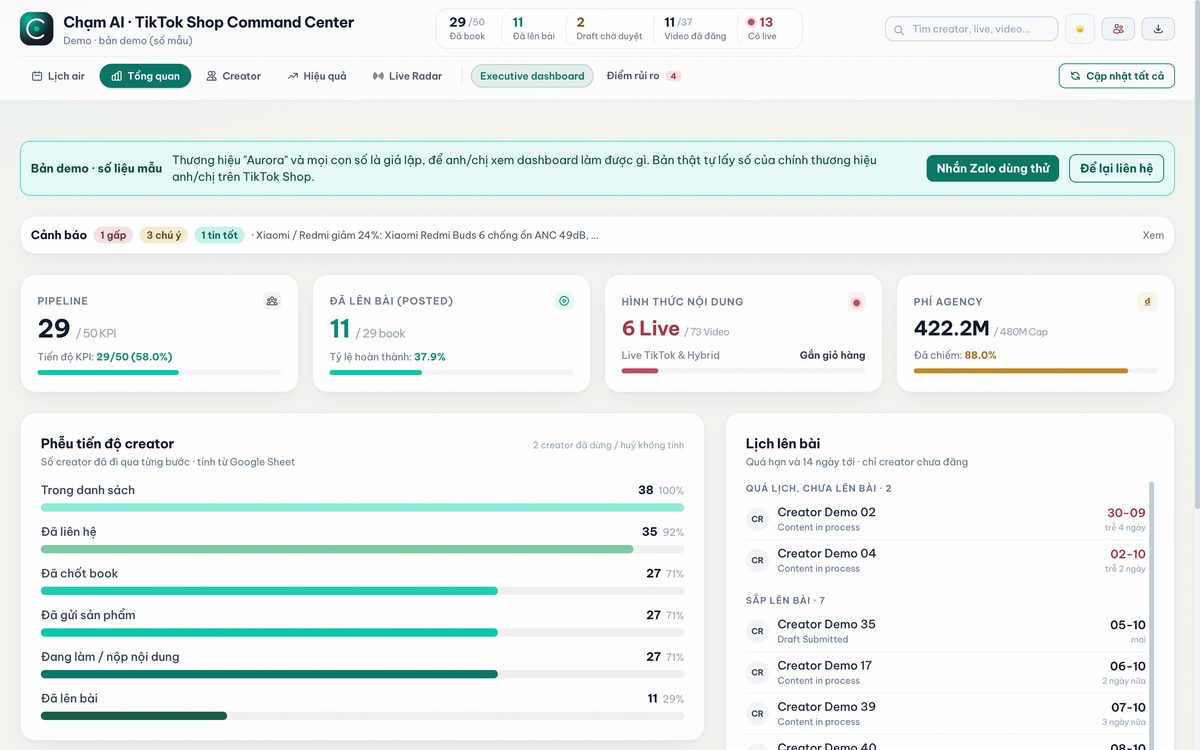
What the dashboard does
Six jobs TikTok Shop teams do by hand, gathered into 12 tabs. Rival numbers come from public TikTok Shop data; your own numbers come from the Seller Center files you upload.
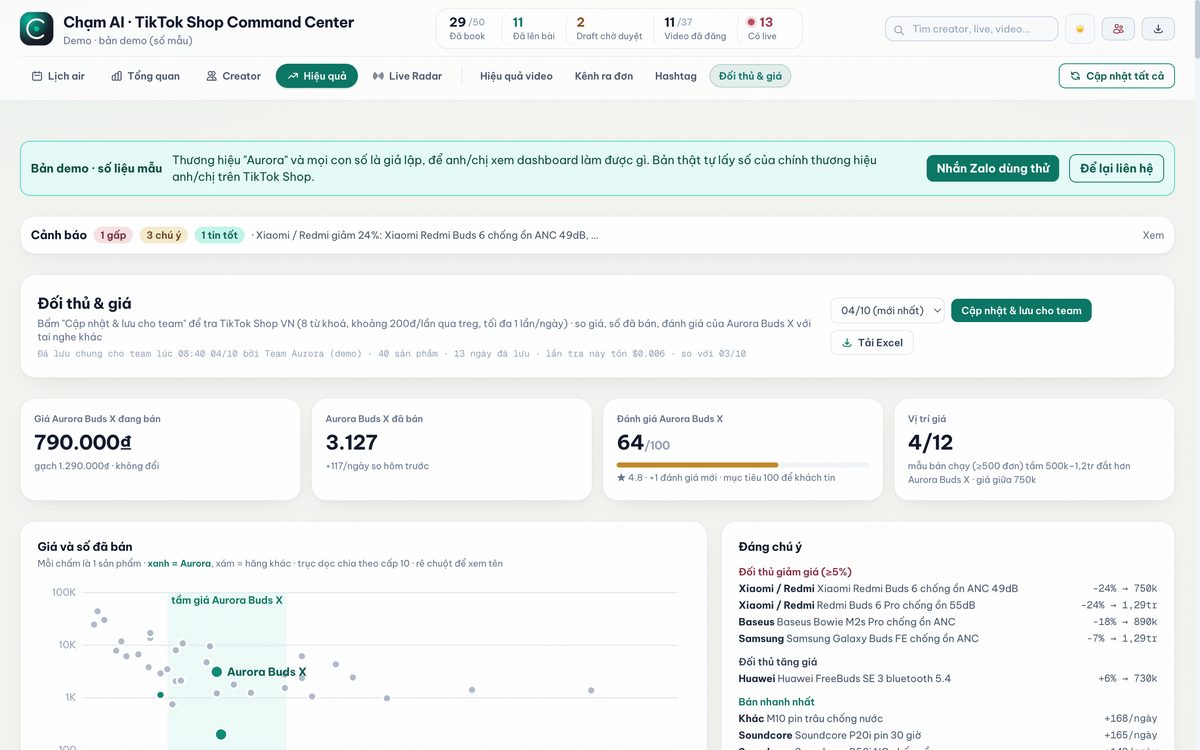
Rivals and prices
Price, units sold and ratings for products in your category, refreshed daily. A rival cutting price by 3% or more, or a sudden sales spike, raises an alert at the top.
Creators selling your rivals
Opens the 20 best-selling rival products, lists the channels carrying them in their cart, and marks who is already in your CRM and who to invite.
Creator CRM and booking KPI
Recruit and track creators through 9 stages, with followers and engagement refreshed automatically, posting dates, fees against budget and late-post alerts.
Live Radar
Collects comments during a live and lets AI summarise what viewers ask (battery, price, warranty) so the host can answer on the spot. Works on rival lives too.
Orders and GMV Max
Reads Seller Center exports to show which channels and videos sell, and computes GMV Max ROI per video with a cut or scale suggestion.
AI search and social
Asks ChatGPT, Perplexity and Google AI Overviews whether your brand is mentioned, plus weekly social listening across TikTok, YouTube, Facebook and forums.
The AI search check follows the same method as our articles on GEO and AI search and the free Chạm AI tools.
Who it is for
Brands selling on TikTok Shop
Marketing teams that need to know when rivals change prices, which creators sell rival products and where a KOC campaign is running late.
KOC/KOL agencies
Several campaigns at once, one place to track bookings, posting dates, fees and video results for client reports.
Small and mid-size shops
Watch a few direct rivals and read live comments without hiring another person.
Pricing
Monthly plans, used on the web in your own workspace. Every plan includes all 12 tabs; they differ in brands, users and data wallet.
Seller
- About US$19
- 1 brand, 3 rivals, 2 users
- 100,000 VND data wallet
- Live Radar on 1 channel
Brand
- About US$38
- 1 brand, 6 rivals, 5 users
- 200,000 VND data wallet
- Live Radar on 2 channels
Agency
- About US$76
- 3 brands, 15 users
- 500,000 VND data wallet, Lazada prices
- Live Radar on 3 channels
One-time setup fee of 1,500,000 VND: we load your rivals and keywords, import your creator list from Google Sheets, connect Live Radar and train your team in one session. Setup is free on annual billing. Payment by QR bank transfer.
The data wallet pays for data calls (prices, videos, comments) and is already inside the monthly fee. On the recommended rhythm (rival prices daily, heavier jobs like AI search and social weekly) a mid-size brand uses about 150,000 to 180,000 VND a month. You get a warning at 80%; when the wallet runs out, everything already saved stays readable.
Compared with market data tools
The dashboard does not try to be a market-wide database. It does what those tools leave out: running your own KOC and live campaigns, side by side with rival numbers.
| Chạm AI dashboard | FastMoss | Metric | |
|---|---|---|---|
| List price | 490,000 - 1,990,000 VND/month | 342,000 - 1,052,000 VND/month (Vietnam pricing) | 18 - 27 million VND/year |
| Strongest at | Creator CRM, posting schedule, Live Radar, GMV Max next to rival numbers | Product, KOC and shop data on TikTok Shop in 6 Southeast Asian markets | Multi-year e-commerce market analysis |
| Data history | Builds up from the day you start | 90 to 1,200 days by plan | 1 to 2 years |
Prices read from the official pricing pages of FastMoss and Metric on 2026-10-04. If you need years of market history, keep Metric alongside; the dashboard does not replace that.

Your data, your data wallet
- One workspace per brand, with its own encrypted API keys and data wallet. Nothing is shared with other customers.
- Rival units sold and GMV are estimates from public numbers (list prices, displayed units sold), not their internal figures.
- No TikTok Shop password needed: orders and GMV Max are read from files you export from Seller Center yourself.
- Live Radar only stores the usernames of people who commented, for up to 1 year.
- The same toolkit has been running for the KOC/KOL team of an earbuds brand since 2026-09-29.
See all Chạm AI services or projects running today. Not sure where to start? Book a free Phygital Audit or visit the contact page.
Get started in 3 steps
Open the demo (2 minutes)
Click through the 12 tabs of the demo with sample data, no sign-up.
Setup (1-2 working days)
We load your rivals, keywords, creator list and connect Live Radar for your brand, then train your team in one session.
Use it every day
Refresh each morning, read the alerts, assign creators. Pay monthly, stop any time.
Ask about the dashboard
Leave your details and Chạm AI will get back within 24 working hours with a demo on your own category.